

POST request to your registered webhook URL whenever an event occurs. Each payload includes an event_type field so you can route events accordingly.
Subscribers registered as type
all receive every event. Those registered for a specific type (e.g. message_received) only receive that one.Platforms
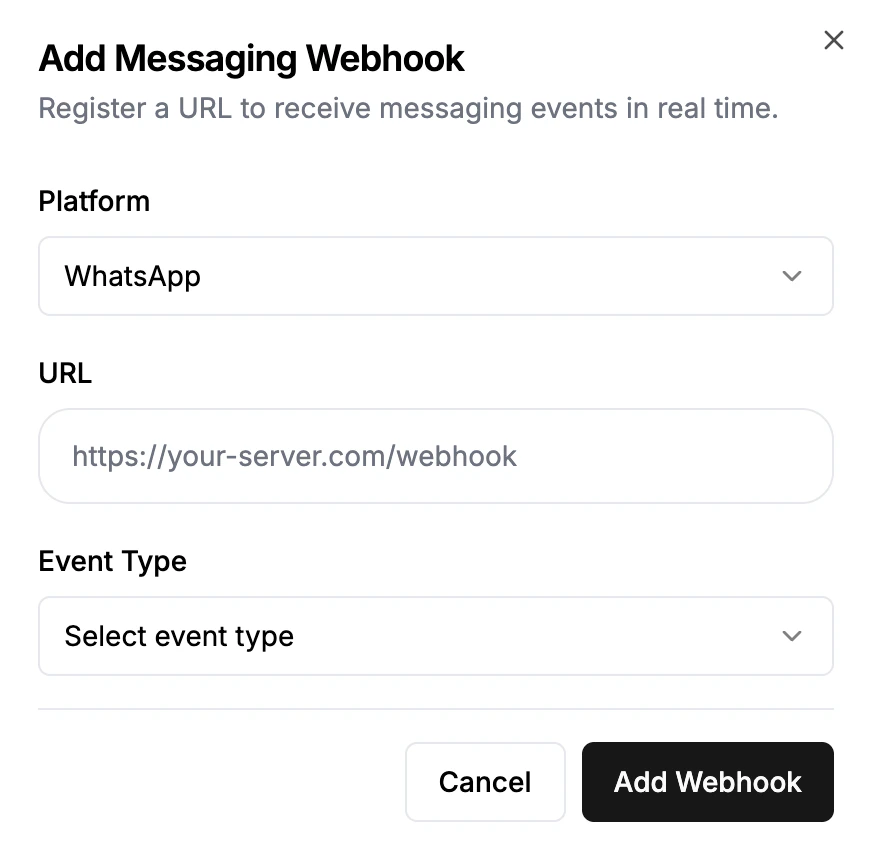
Webhooks cover WhatsApp, Web and Instagram conversations (Instagram rollout is pending). When registering a webhook in the FlowIQ dashboard (or withplatform on Create Webhook), select the platform you want to listen to. Each platform fires its own set of events described below.
To authenticate deliveries to your server or verify that they came from FlowIQ, see Delivery.
WhatsApp Events
message_received
Fired when a user sends you a WhatsApp message.
whatsapp_idis the contact’s phone number with country code (e.g.27834321234)media_type/media_url/file_nameare populated for image, video, audio, and document messageslocation_datais{ latitude, longitude, name, address }for location messagesreply_context_idis thewamidof the message being replied toreaction/reacted_to_message_idare only present whenmessage_typeisreaction—reactionis the emoji (e.g.👍) andreacted_to_message_idis thewamidof the message that was reacted to
message_sent (WhatsApp)
Fired when Meta confirms your outbound message was sent (lightweight receipt).
sent_message
Also fired on sent — but with the full message record so you have the message content.
message_delivered
message_read
message_failed
Fired for failed, undelivered, and warning statuses.
call
Fired when a WhatsApp call event arrives for your number (WhatsApp Business Calling). The body is Meta’s raw webhook payload, with FlowIQ’s fields added at the top level:
entryis passed through unchanged; see Meta’s Calling API webhooks for its contentsphone_number_idis your WhatsApp number’s Meta phone number ID
Instagram Events
Instagram webhook support is prepared for rollout and is not yet deployed.
platform: "instagram" on Create Webhook. Events describe Instagram activity stored in the FlowIQ inbox, including staff, API, automated and native-app messages when recorded there.
Instagram does not emit
call. Delivery, read and failure information depends on what the connection reports and what FlowIQ records. A successful send alone does not imply delivery. Subscription changes apply to future events; history is not replayed.
Identifiers
Incoming message
message_received includes the content and media fields. Comment and story identifiers are populated when available. Text messages have message_type: "text" and null media fields.
Outgoing content and status
sent_message uses the same content fields as the incoming example, with an outgoing sender_type and its own event_id. message_sent, message_delivered, message_read and message_failed carry status instead of the message and media fields. They refer to the same message IDs. For example:
Customer reactions
A customer reaction is delivered asmessage_received with message_type: "reaction". Its message IDs identify the target message, and its event_id includes the reaction timestamp, actor, action and emoji. Reactions made by the connected business account do not generate incoming customer events.
Web Events
Web webhooks fire for conversations that happen through the FlowIQ web chat widget. Register them by selecting Web as the platform when adding a webhook in the FlowIQ dashboard.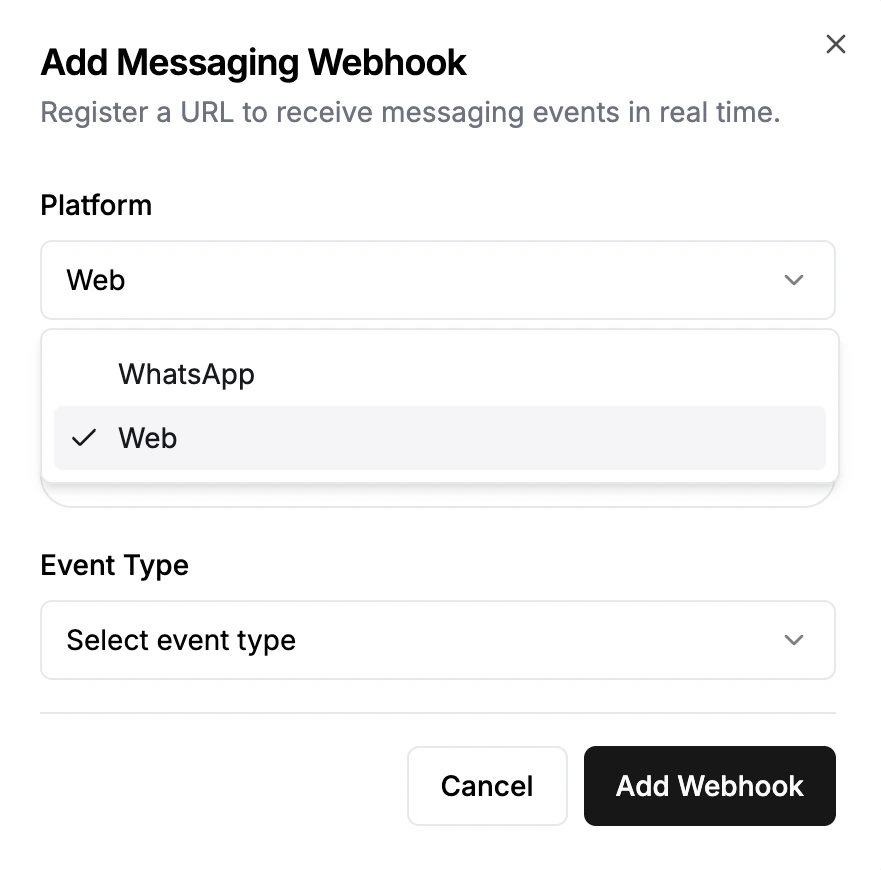
message_received
Fired when a web visitor sends a message (sender_type: "user-web").
sent_message
Fired when a human agent or AI bot sends a web message (sender_type: "human-web" or "bot-web").
sender_typewill be"human-web"for messages sent by a support agent, or"bot-web"for AI-generated replies.media_type/media_url/media_file_nameare populated when the message contains a file or image.more_datacontains any additional structured data attached to the message.
Delivery
Each event is sent as a singlePOST with a JSON body. Register webhooks with Create Webhook or in the FlowIQ dashboard.
Headers
Non-ASCII characters (emoji, accented letters) are sent as JSON
\uXXXX escapes, so the body is plain ASCII. Any JSON parser turns them back into the original characters.
Verifying signatures
If you set asecret, compute an HMAC-SHA256 of the raw request body with that secret and compare it to the X-Flowiq-Signature header. Use the bytes exactly as received: parsing and re-serialising the JSON changes them and the signature won’t match.
Delivery behaviour
- FlowIQ makes one attempt per event and waits up to 10 seconds for your server. Failed deliveries aren’t retried, so respond with a
2xxquickly and do slow work in the background. - If the configured authentication can’t be built (for example your OAuth token endpoint is down), the delivery is skipped rather than sent without credentials.
- Events can arrive out of order. Use
timestampand the platform message ID to reconcile. For Instagram, deduplicate byevent_idand group updates bymessage_idorinstagram_message_id.